AI @ UM: Artificial Intelligence Newsletter for the UM Community
|
|
|
|
Practical AI tips, tools, and stories for faculty, staff, and students.
|
|
|
The AI-generated image above was created using Copilot chat and the following prompt: "Based on the information within this month's AI newsletter, create a visually engaging image that showcases the power of AI. Use minimal additional text. Brand the image with the University of Miami's colors, but do not use the University logo." Read on to learn how you can also quickly do this, and much more, with the variety of University-supported AI tools available to you!
|
|
|

|
|
|
October 2026
What's New:
The Next Generation of Copilot Is Coming!
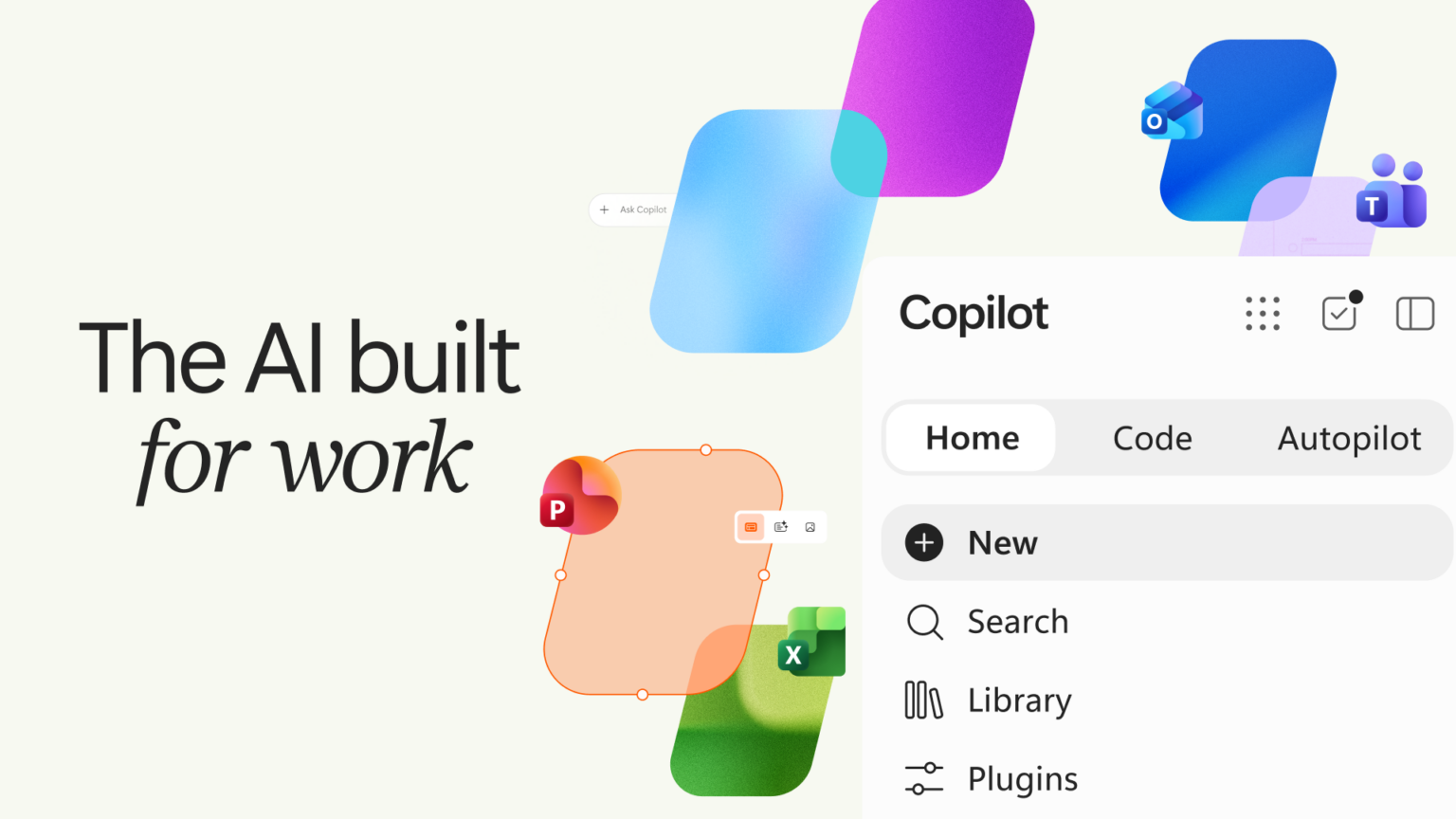
Coming soon: Microsoft has unveiled a major evolution of Copilot, introducing new capabilities designed to help people not only chat with AI, but also build solutions, automate work, and collaborate more effectively.
The new Copilot experience brings together Home, a unified workspace for Chat and Cowork; Code, which allows users to create apps, dashboards, automations, and workflows using natural language; and Autopilot, a proactive AI teammate that can work on tasks in the background and help move projects forward.
Microsoft is also integrating Word, Excel, and PowerPoint directly into the Copilot experience, making it easier than ever to create, analyze, and collaborate without switching between applications. These capabilities are beginning to roll out through Microsoft's Frontier program, with additional previews planned throughout the year.
Why it matters: The next generation of Copilot moves beyond answering questions to helping you accomplish complex work, automate routine tasks, build custom solutions, and stay organized across your digital workspace. We’ll be watching these developments closely and will share updates as new capabilities become available to the University of Miami community.
Learn more about the enhancements here.
Ready to explore Copilot and other University-supported AI tools? Visit the AI site to get started:
|
|
|

|
Skill Creation and Automation with Cowork
Cowork lets you turn a prompt you keep retyping into a reusable skill, and then put that skill on a schedule so it runs on its own. Think of it as teaching Cowork how you like a job done once, then never asking for it again.
This month's walkthrough uses a practical example almost everyone can use: morning email triage. In three steps, you'll write the prompt, save it as a skill, and schedule it to run every weekday at 8:30 a.m., so a prioritized inbox summary is waiting for you before your first meeting.
— Time to set up: about 5 minutes. —
📝 Step 1: Write the Prompt
Start in Cowork chat and describe the task in plain language. Be specific about what to ignore, what to elevate, and what the output should look like.
Try this prompt:
- Go through my emails from the last 24 hours and give me a triage summary.
- Skip spam, newsletters, and automated notifications.
- Call out anything urgent or time-sensitive first, with the deadline if one is stated.
- Flag every message from my manager.
- Flag anyone who is directly asking for my help, input, or approval.
- Group the rest under "Can wait."
- For each item, give me the sender, a one-line summary, and what action I need to take.
Run it once and review the result. If it surfaced too much or missed something, adjust the wording and run it again. Get the prompt right before you save it, because the skill will do exactly what the prompt says, every time.
Tip: The more concrete the instruction, the better the output. "Prioritize urgent requests" works; "make it useful" doesn't.
—
⚙️ Step 2: Save It as a Skill
Once the prompt gives you what you want, save it so you never have to type it again.
Ask Cowork:
- Turn that prompt into a skill called "Morning Email Triage."
Cowork will package the instructions into a reusable skill and save it to your OneDrive under Documents/Cowork. From then on, you can invoke it just by asking for it by name: "run my morning email triage." Cowork will follow the same steps in the same order. You can also ask Cowork to list your skills, view one, or edit one later as your priorities change.
Why this matters: A skill captures not just the task, but your judgment about how the task should be done, which senders matter, what counts as urgent, and how you want it formatted.
—
⏰ Step 3: Schedule It
The last step is simply incorporating automation.
Ask Cowork:
- Run my Morning Email Triage skill every weekday at 8:30 a.m.
Cowork will set up a scheduled task that runs Monday through Friday at 8:30 a.m. in your local time zone, with no action needed from you. Each run uses your live mailbox, so the summary is always current. A few things worth noting:
- Say "every weekday" or "Monday through Friday"—that keeps it off your weekends.
- Each scheduled task holds one prompt. Want a separate end-of-day wrap-up? Create a second task.
- You can pause, edit, or delete a schedule any time; just ask Cowork to show you your scheduled tasks.
—
Try it with your own workflows!
Email triage is a starting point. The same three steps (prompt, save as skill, and schedule) also work for a Monday project status roundup, a weekly summary of your team's Teams channels, or a recurring meeting-prep brief the night before. Anything you do on a rhythm is a candidate!
To learn more, visit the Cowork informational webpage.
|
|
|

|
Office Hours with the AI Enablement Team
We invite you to join the University of Miami's AI enablement team for open office hours designed to support and inspire our community's exploration of AI.
Whether you're a student, faculty member, researcher, or staff, this is your opportunity to engage directly, ask questions, and share your thoughts on how AI can shape our future.
Recent Events and Workshops:
Wrap-Up of the Fall 2026 Copilot Lunch and Learn Sessions
If you didn't get a chance to join live, we invite you to watch recordings of the Fall 2026 Copilot Lunch and Learn sessions!
These sessions explore the latest Copilot for Microsoft 365 capabilities and are designed to help you get more from Copilot and bring AI-powered efficiency to your daily work.
|
Session
|
Description
|
|
Thursday, August 27 at 12 p.m. EST
First-Party Agents (Researcher & Analyst)
Watch the Recording
|
Discover how Microsoft's Researcher and Analyst agents can help you conduct research, analyze data, uncover insights, and accelerate decision-making using AI directly within Microsoft 365.
|
|
Thursday, August 27 at 3 p.m. EST
Microsoft 365 Roadmap
Watch the Recording
|
Recap and forward look at the Microsoft 365 roadmap, emphasizing changes relevant to end users and IT decision makers. |
|
Thursday, September 10 at 12 p.m. EST
Agentify Your Business Processes
Watch the Recording
|
Learn how to leverage Microsoft Copilot and Copilot Studio to automate tasks, streamline workflows, and create AI-powered agents that help your teams work more efficiently and focus on higher-value activities.
|
|
Thursday, September 24 at 12 p.m. EST
Choosing the Right Copilot Model
Watch the Recording
|
Explore Microsoft's AI-powered Copilot experiences and learn when to use M365 Copilot, Researcher, Analyst, Copilot Studio, and custom agents to achieve the best outcomes for your work.
|
|
Thursday, October 1 at 12 p.m. EST
Meet Cowork: Your AI Team of Experts
Watch the Recording
|
Discover how Copilot's Cowork brings together specialized AI agents to help you research, create, analyze, and solve complex tasks faster. Learn practical ways to enhance productivity and work smarter with AI.
|
|
|
|

|

|
AI for Everyone: Building AI Skills Across the U
AI is becoming part of how we teach, learn, research, deliver care, and support the University's mission.
To help faculty and staff build the knowledge and confidence needed to navigate this rapidly evolving landscape, the University recently launched AI for Everyone (AI4E), a new learning initiative designed to make AI education accessible to all experience levels.
AI4E provides structured learning pathways, hands-on training, and resources that help participants understand AI fundamentals and apply AI tools responsibly and effectively in their daily work.
Through AI4E, faculty and staff have access to DataCamp courses, learning paths, and practical training focused on building AI literacy, increasing productivity, and preparing for the future of work. Whether you're just getting started with AI or looking to expand your skills, AI4E offers a flexible way to learn at your own pace and discover how AI can support your role.
Learn more and get started at: ai4e.miami.edu
|
Would you like to share a community highlight for inclusion in a future edition of the University's AI newsletter? Send details to ai@miami.edu.
|
|
|
|

|
|
More AI-related tips, training opportunities, and community highlights will be shared in future editions of the AI newsletter. If you haven't already done so, sign up to receive the AI newsletter directly in your inbox:
If you're curious about how AI can support your team, we encourage you to explore, experiment, and join our office hours.
If you have any questions, contact us at ai@miami.edu.
|
|
|
|