AI @ UM: Artificial Intelligence Newsletter for the UM Community
|
|
|
|
Practical AI tips, tools, and stories for faculty, staff, and students.
|
|
|
The AI-generated image above was created using Copilot chat and the following prompt: "Create an image for the top of the University of Miami's AI newsletter for faculty, staff, and students that only includes the following statement: What's New, What to Try, and How to Get Involved." Read on to learn how you can also quickly do this, and much more, with the variety of University-supported AI tools available to you!
|
|
|
|
May 2026
Artificial intelligence (AI) is becoming a trusted productivity partner across the University of Miami—from teaching and research to clinical, operational, and administrative work. This month's AI newsletter highlights what's new in our supported tools, tips for using them responsibly within the University environment, and ways to connect with the UM AI community.
Visit UM's AI Tools page for a list of University-supported platforms:
|
|
|

|
📢 What's New in AI?
Microsoft's Frontier Program
Early access to what's next on Microsoft's AI horizon.
The Microsoft Frontier program provides the University of Miami with early access to select Copilot agents and AI models before they are broadly released. This allows us to evaluate emerging capabilities and understand how they may support academic, administrative, and healthcare workflows over time.
Frontier is only available to users who have a premium Copilot for Microsoft 365 (M365) license and have opted into the University's Copilot for M365 program. If you do not currently have the required Microsoft license, Frontier tools will not appear within your Copilot experience.
Designed for advanced and early users.
Frontier agents are intended for experienced users comfortable testing evolving tools. This means that:
- Features may change frequently;
- Some agents may not move into long‑term or general availability; and,
- Agents that demonstrate clear value, stability, and alignment with institutional needs may later become broadly supported.
What's currently available to UM in Frontier?
While the availability and scope may evolve, the following are currently available:
- Learning Agent – Supports instructional design, lesson structure, and learning content preparation.
- Planner Agent – Helps break down complex initiatives into structured plans, milestones, and tasks.
- App Builder Agent – Assists with designing apps and solutions through guided, conversational workflow. Created Apps can only be shared internally within our University of Miami M365 tenant and only with other M365 licensed users.
- Cowork Agent – Supports collaborative work scenarios by helping teams coordinate ideas, drafts, and shared outputs.
- Workflows Agent – Helps design and reason through multi‑step processes and operational workflows.
- Workforce Insights Agent – Surfaces high‑level workforce and organizational insights for planning and analysis.
- Sales Development Agent – Focused on structured outreach and engagement planning; primarily for business‑oriented use cases.
Important reminder: Microsoft's Frontier tools should be used within our University of Miami Microsoft 365 environment and with the same privacy, security, and data‑handling standards as standard Copilot usage. Avoid sharing sensitive, confidential, or regulated data while experimenting. Human review and judgment remain essential.
|
|
|

|
The Fantastic Four:
Embracing Your Work Style with Copilot for Microsoft 365
What's your work style?
Microsoft has identified four major "work identities," or ways of working—or, as Microsoft likes to call them: The Fantastic Four! Analyzers, Collaborators, Innovators, and Planners.
Everyone has a work style: instincts, strengths, and quirks that guide how you get things done. Find the one that matches yours, and we'll show you the Microsoft 365 apps and Copilot features that best complement it—helping you get more done every day.
|

|
Analyzers use Copilot to turn data, research, and complex documents into clear insights, trends, and visual stories that support confident, data-driven decisions. |
|
|
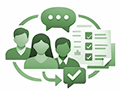
Collaborators use Copilot to keep people aligned by summarizing meetings and messages, surfacing action items, and converting team input into shared, polished outputs. |
|

|
Innovators use Copilot to spark, shape, and ship ideas faster—moving from blank page to compelling stories, decks, and concepts with minimal friction. |
|

|
Planners use Copilot to bring structure to work by organizing information, automating follow-ups, creating plans and templates, and keeping tasks and goals on track. |
What if you're not sure what work style best describes you exactly? Well, that's where Copilot for Microsoft 365 comes in handy! Here’s a sample prompt that you can copy into Copilot and find out where you land on the work style continuum:
"What's my work style? Let's find out. Analyze my full work patterns across all channels—emails, Teams chats, documents, and meetings—and match me to one of the Fantastic Four work styles that follow. Choose the dominant work style that shows up most clearly in my patterns, tone, and behavior. The four work styles are:
> Analyzer: Data-driven, focused on insights and logic, makes decisions based on facts.
> Planner: Structured, detail-oriented, thrives on process and minimizing chaos.
> Collaborator: Empathetic, people-focused, team-oriented, facilitates communication.
> Innovator: Visionary, idea-oriented, brings bold energy to innovation and content creation."
When you know your work style, you can use Copilot in the way that makes the most sense for you. That's true no matter whether your current task involves planning ahead, jumping into team brainstorming, making sense of the data, or coming up with bold ideas.
|
|
|

|
Office Hours with the AI Enablement Team
Join the University of Miami's AI enablement team for open office hours designed to support and inspire our community's exploration of AI. Whether you're a student, faculty member, researcher, or staff, this is your opportunity to engage directly, ask questions, and share your thoughts on how AI can shape our future.
Past Events and Workshops
Spring 2026 Copilot Lunch and Learn Sessions
These lunch and learns explore the latest Copilot for Microsoft 365 capabilities. Each session is designed to help you get more from Copilot and bring AI-powered efficiency to your daily work.
|
Session Title
|
Session Description
|
Session Video
|
|
Copilot Studio/Meet Agent Mode
|
Introduction to Copilot Studio with a focus on Agent Mode, including how agents can be configured to handle common scenarios and workflows.
|
Watch the Session Video
|
| Copilot for Project Management |
Demo‑driven session on how Copilot can support project planning, task tracking, and status reporting across Microsoft 365 tools. |
Watch the Session Video |
|
Getting Started With Copilot Agent Workshops
|
Learn how you and your department can create agents with your documents and super power your collaborate skills
|
Watch the Session Video
|
|
Meet the Copilot Notebook + Claude with M365 Copilot
|
Overview of Copilot Notebook experiences and how large language models like Claude can work alongside M365 Copilot for research and synthesis.
|
Watch the Session Video
|
|
Microsoft 365 Roadmap
|
Recap and forward-looking session on the Microsoft 365 roadmap, with emphasis on changes relevant to end users and IT decision makers.
|
Watch the Session Video
|
Access tutorials, past training sessions, and more on UM's Copilot for Microsoft 365 page.
|
|
|

|
Digital EyeCon 2026: Advancing AI Across Healthcare and Academia
The Digital EyeCon 2026 hosted by Bascom Palmer Eye Institute and UHealth at the Coral Gables campus on April 17-18 brought together participants from across industry, academia, and healthcare to explore how AI is being applied across clinical care, research, education, and operations, highlighting the growing role of technologies like remote patient monitoring and virtual care in driving innovation and real-world impact.
🎤 Featured Panel: Generative AI and Healthcare
One of the featured panels, "Generative AI & Healthcare: Transforming Patient Care and Operations," included Dr. David Wayne, Dr. Swarup Swaminathan, and Dr. YanYun Wu who shared perspectives on how AI is shaping the future of the health system, sparking strong engagement and thoughtful discussion among attendees and reinforcing the momentum of AI-driven transformation across the University of Miami and UHealth.
|
|
|

|

|
|
More AI-related tips, training opportunities, and community highlights will be shared in future editions of the AI newsletter. We encourage you to sign up to receive the AI newsletter directly in your inbox:
If you're curious about how AI can support your team, we encourage you to explore, experiment, and join our office hours.
If you have any questions, contact us at ai@miami.edu.
|
|
|
|