AI @ UM: Artificial Intelligence Newsletter for the UM Community
|
|
|
|
Practical AI tips, tools, and stories for faculty, staff, and students.
|
|
|
The AI-generated image above was created using Copilot chat and the following prompt: "Create an image for the top of the University of Miami's AI newsletter that includes the following statement: AI @ UM - June 2026." Read on to learn how you can also quickly do this, and much more, with the variety of University-supported AI tools available to you!
|
|
|
|
June 2026
Have questions about AI at the University? Now you have a faster way to get answers. The AI Resource Navigator is now available on IT's AI website.
 The AI Resource Navigator is ready to help you explore tools, training opportunities, and AI-related resources across the U. Whether you're just getting started or looking for guidance on an AI initiative, the navigator can quickly point you in the right direction. The AI Resource Navigator is ready to help you explore tools, training opportunities, and AI-related resources across the U. Whether you're just getting started or looking for guidance on an AI initiative, the navigator can quickly point you in the right direction.
Try asking:
- "Summarize the latest AI news for me."
- "What are the top AI tools available for me to use?"
Start exploring and see how AI can support your work—visit IT's AI website to get started.
|
|
|

|
|
|
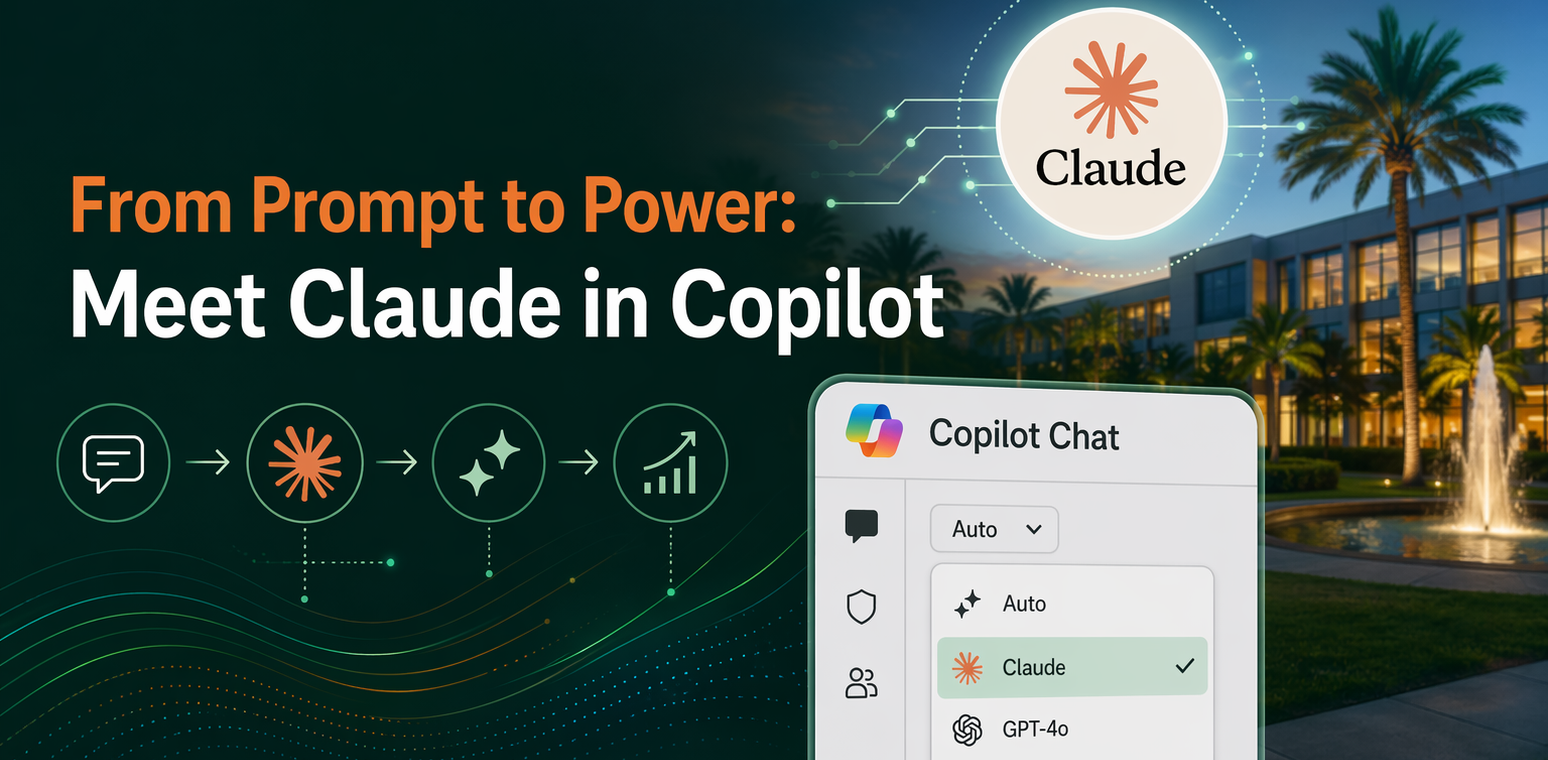
Claude—Anthropic's advanced AI models (Opus and Sonnet)—is now available within the Premium Copilot Chat experience. This enhancement transforms Copilot into a true multi-model platform, giving you the flexibility to choose the right AI for the task at hand.
Anthropic has been onboarded as an official Microsoft sub-processor, meaning all data is handled under Microsoft's Product Terms and Data Protection Addendum (DPA). As with all Microsoft 365 services, your data remains protected, and your data is not used to train Anthropic's models.
Ready to get started? Follow these simple steps:
Step 1:
Opt-in to Copilot for Microsoft 365
- To access Claude models, if you haven't already done so, you must first opt-in to Copilot for Microsoft 365.
- Opt-in access is not immediate—requests are typically processed within 1-3 days.
Step 2:
Sign In to Copilot Chat
Step 3:
Select Claude in Copilot
- You can use Claude within Copilot Chat or the Researcher agent.
- To switch models, use the model selector at the top of the chat screen (default is Auto) and choose Claude.
💡 Quick Steps:
1️⃣ Open Copilot Chat or the Researcher agent
2️⃣ Find the model selector at the top of the screen
3️⃣ Switch from Auto to Claude
4️⃣ Start chatting!
|
Did you know? Microsoft has introduced a new capability called Cowork, that uses the popular Anthropic AI technology, designed to evolve Copilot from a chat assistant into a digital assistant that can complete tasks on your behalf. With Cowork, you can delegate goals—and have Copilot help map out plans and take action on your behalf for activities across emails, meetings, files, and apps; all while checking in for your approval along the way.
Cowork is currently available to licensed M365 Copilot users and uses our enterprise-pooled token credit. We encourage you to explore the use of Cowork to evaluate how this capability can best support you deliver the mission of the University of Miami focused on teach/learning, clinical care, and research.
As this space continues to evolve, stay tuned for future AI newsletters where we'll share more about Cowork, best practices, and what to expect moving forward.
|
|
|
|

|
|
|
Join the University of Miami's AI enablement team for open office hours designed to support and inspire our community's exploration of AI.
Whether you're a student, faculty member, researcher, or staff, this is your opportunity to engage directly, ask questions, and share your thoughts on how AI can shape our future.
Past Events and Workshops
Spring 2026 Copilot Lunch and Learn Sessions
These lunch and learns explore the latest Copilot for Microsoft 365 capabilities. Each session is designed to help you get more from Copilot and bring AI-powered efficiency to your daily work.
|
Session Title
|
Session Description
|
Session Video
|
|
Copilot Studio/Meet Agent Mode
|
Introduction to Copilot Studio with a focus on Agent Mode, including how agents can be configured to handle common scenarios and workflows.
|
Watch the Session Video
|
| Copilot for Project Management |
Demo‑driven session on how Copilot can support project planning, task tracking, and status reporting across Microsoft 365 tools. |
Watch the Session Video |
|
Getting Started With Copilot Agent Workshops
|
Learn how you and your department can create agents with your documents and super power your collaborate skills
|
Watch the Session Video
|
|
Meet the Copilot Notebook + Claude with M365 Copilot
|
Overview of Copilot Notebook experiences and how large language models like Claude can work alongside M365 Copilot for research and synthesis.
|
Watch the Session Video
|
|
Microsoft 365 Roadmap
|
Recap and forward-looking session on the Microsoft 365 roadmap, with emphasis on changes relevant to end users and IT decision makers.
|
Watch the Session Video
|
Access tutorials, past training sessions, and more on UM's Copilot for Microsoft 365 page.
|
|
|

|

|
|
AI is already transforming how we teach, research, care for patients, and run the University. The IT team is currently leading hundreds of AI initiatives across the institution—ranging from projects in progress to fully implemented solutions that support everyday work.
These projects span key areas including teaching and learning, research, patient care, and operational efficiency—demonstrating how AI is being applied in meaningful, real-world ways across the U.
Explore the full collection of projects and see how innovation is happening across campus:
|
|
|
|
More AI-related tips, training opportunities, and community highlights will be shared in future editions of the AI newsletter. If you haven't already done so, sign up to receive the AI newsletter directly in your inbox:
If you're curious about how AI can support your team, we encourage you to explore, experiment, and join our office hours.
If you have any questions, contact us at ai@miami.edu.
|
|
|
|