Reclaim Your Time with Copilot for Microsoft 365—Now Powered by GPT-5
|
|
|
|
UM Faculty and Staff,
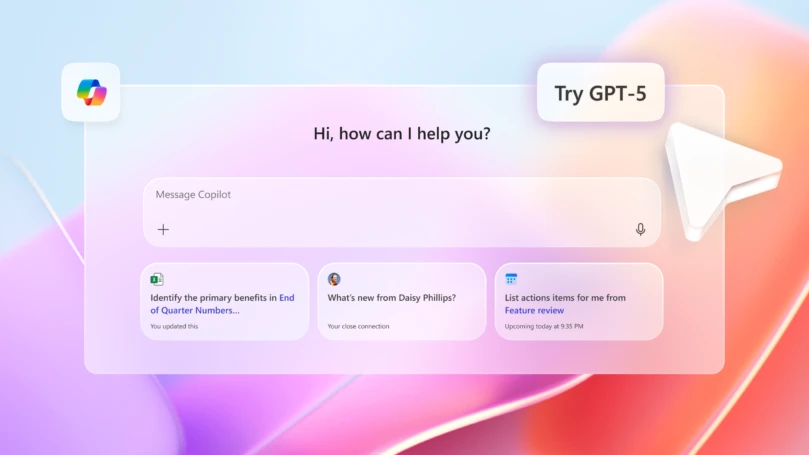
We're excited to share that Copilot for Microsoft 365 now runs on GPT-5, the same powerful artificial intelligence (AI) engine behind OpenAI's ChatGPT. This means you're getting the best of OpenAI's intelligence—right inside the Microsoft tools you already use every day. Simply click the "Try GPT-5" button within Copilot to start using this enhancement.
Copilot is deeply embedded in Microsoft 365 apps like Outlook, Word, Excel, PowerPoint, and Teams. It understands your organizational context—your documents, emails, meetings, and chats—and responds with tailored insights while respecting your privacy and permissions.
If you haven't done so already, you can start using Copilot today by simply opting in. Copilot for Microsoft 365 is available to full-time faculty and full-time staff via opt-in.
|
|
|
What Makes GPT-5 in Copilot So Powerful?
|
|
|
- Dual-mode intelligence: Copilot uses GPT-5 to switch between fast responses for simple tasks and deep reasoning for complex ones.
- Enterprise-grade security: Your data stays secure within the University's Microsoft 365 environment—never used to train public models.
- Multimodal fluency: GPT-5 supports text, tables, charts, and even code, making it ideal for academic and administrative workflows.
|
|
|
Upcoming Webinars: Register for Hands-On Learning
|
|
|
|
Want to learn more about Copilot? Register for an informational webinar to explore different ways you can make Copilot work for you:
Remember to opt-in before attending for the best hands-on experience!
Thursday, October 9 from 12-1 p.m.
Data Surge: Copilot for Analysis and Inbox Excellence
- Discover how Copilot can supercharge your productivity by performing advanced data analysis in Excel, including predictive modeling and trend identification. Learn to streamline inbox management in Outlook by prioritizing messages and generating quick responses using intelligent prompts. Wrap up the session with techniques to draft executive summaries and build compelling dashboards from raw data using Copilot in Word and PowerPoint.
Wednesday, October 22 from 12-1 p.m.
Insights to Impact: Copilot for Research and Administration
- Accelerate your research workflows with Copilot's support for literature reviews and grant proposal drafting. Explore how to summarize meeting transcripts, extract action items, and automate follow-up communications. You'll also learn how Copilot can simplify compliance documentation and policy updates through its powerful drafting and editing capabilities.
Friday, November 7 from 12-1 p.m.
Course Catalyst: Transforming Teaching with Copilot
- Reimagine your teaching materials with Copilot's structured templates for lesson plans and syllabi. Create adaptive learning content tailored to student needs, with built-in multilingual and accessibility support. Finally, discover how to develop interactive presentations and assessments using Copilot in PowerPoint and Word.
|
|
|
Use Cases for Faculty and Staff
|
|
|
|
|
|
Draft emails, summarize long threads, extract action items, and generate quick replies. Learn more.
|
|
|
|
|
|
Summarize research papers, generate draft letters, and create course syllabi. Learn more.
|
|
|
|
|
|
Analyze datasets, forecast trends, and build dashboards from raw data. Learn more.
|
|
|
|
|
|
Turn notes into polished presentations with visual storytelling and executive summaries. Learn more.
|
|
|
|
|
|
Turn meeting chats and recordings into structured summaries, action items, and follow-up messages. Learn more.
|
|
|
|
Let Copilot help you reclaim your time and focus on what truly matters—your students, your colleagues, your research, your work, and your impact.
Learn more about Copilot by visiting it.miami.edu/copilot-for-365.
We're here to help you get the most from Copilot: Reach out to the AI team anytime at ai@miami.edu; for technical support, contact the 24/7 IT Service Desk.
|
|
|
|